Did you know that an embedded video increases Click-Through Rate by 55%
How to embed a YouTube video in an email [FREE tool]
1. Input a link to your YouTube video:
2. Get a screenshot:
3. Download it:
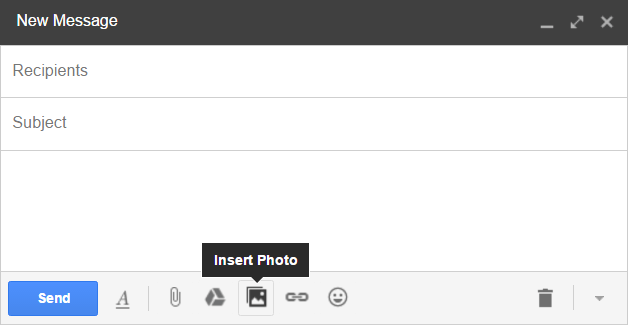
4. Hit "Insert Photo" in your email service:
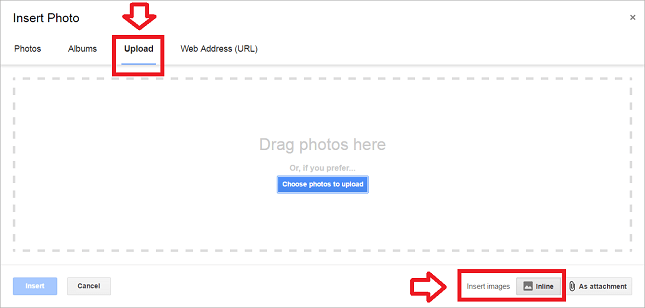
5. "Upload" the downloaded image:
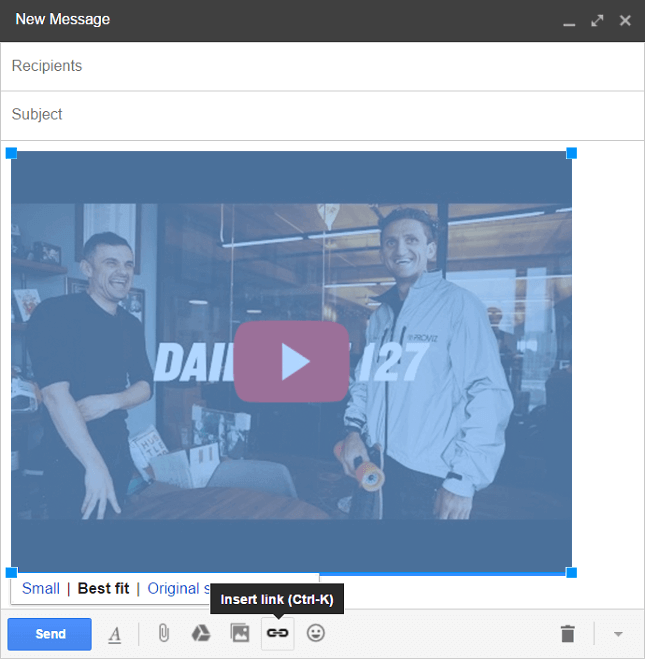
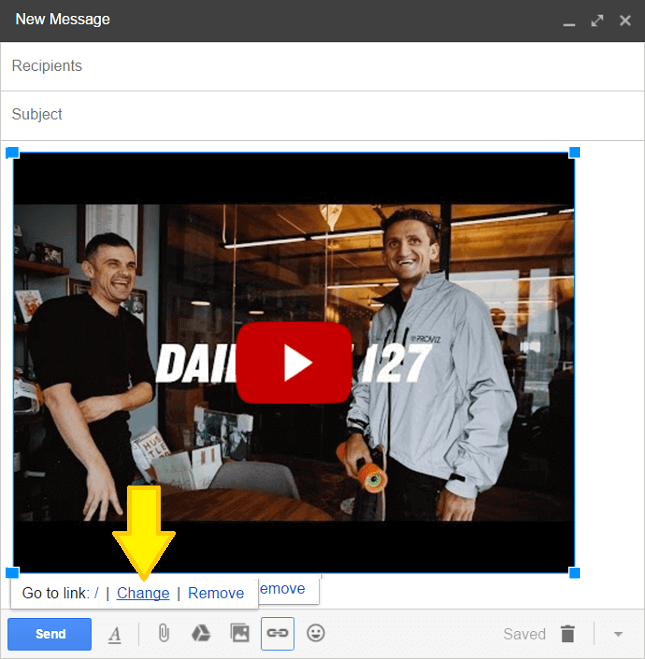
6. Attach your YouTube video link to your YouTube screenshot:
7. Boost your CTR by 55%, shares by 41% [research]
Bonus #1 - the same 7-step algorithm as a one-URL API:
https://inboundrocket.co/download_youtube_screenshot.php?youtube_id=YOUR_YOUTUBE_VIDEO_ID
Bonus #2 - the same 7-step algorithm as a piece of HTML code
<a href="https://youtu.be/YOUR_YOUTUBE_VIDEO_ID">
	<img src="https://inboundrocket.co/download_youtube_screenshot.php?youtube_id=YOUR_YOUTUBE_VIDEO_ID"/>
</a>